Agency Client Reporting: Stop Writing Status Updates by Hand
Agency client reporting has a structural flaw that no amount of effort fixes: the report describes the moment it was written, and it is read later. By the time the client opens Monday’s status email on Wednesday, 2 of the 4 items have moved.
So the account manager answers the follow-up question, by hand, from the same data the report came from. This guide covers how to get out of that loop.
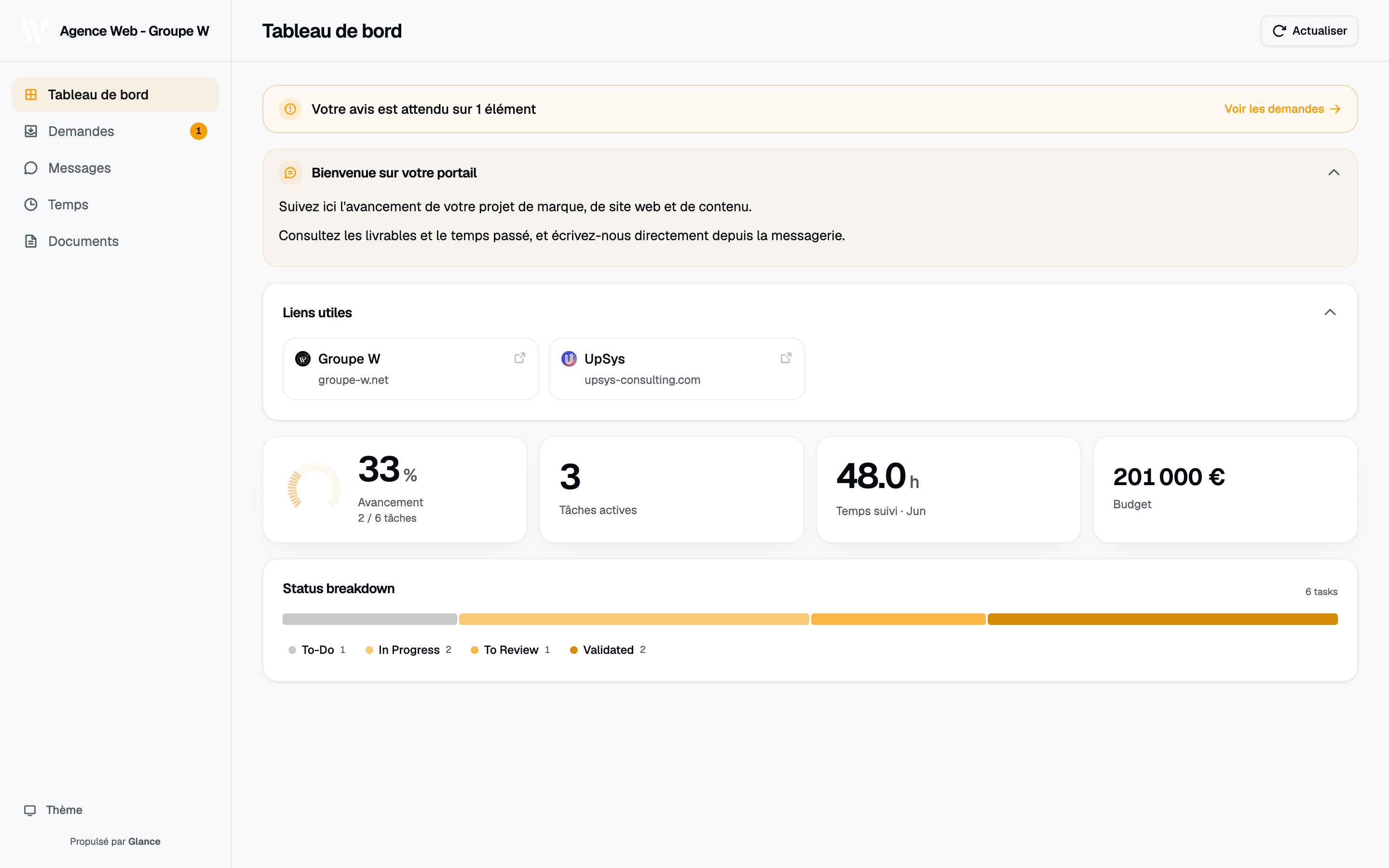
Reporting as a live page rather than a weekly document: the client opens it whenever the question comes up.
The cost of the weekly report
Take an agency with 12 active clients and a weekly status update. If each report takes 25 minutes to assemble, that is 5 hours a week, before any of the follow-up conversations the reports trigger.
The assembly is the expensive part, and it is almost entirely mechanical: open the workspace, read the current state, translate it into client language, paste it into a template. The judgment, which is the part clients actually pay for, is a couple of sentences at the end about what changed and why.
Automating the mechanical part and keeping the judgment is the whole opportunity.
Why reports go stale faster than you think
A status report is a cache with no invalidation. It is accurate at write time and drifts from then on, and the drift is invisible to the reader, who has no way to tell whether they are looking at something current.
That uncertainty is what produces the follow-up email. The client is not asking because the report was bad. They are asking because they cannot tell how old it is, and the safest move is to ask a human.
Increasing frequency does not fix this. A daily report is stale by the afternoon and costs 5 times as much to produce.
The short list for a client report
When agencies do write a narrative update, most of them write too much. The list that earns its place is short:
- What shipped since last time. Concrete, named deliverables. This is the part the client forwards internally.
- What is in progress. With a real expected date attached.
- What is blocked, and by whom. Especially when the blocker is on the client’s side, which is the line clients read first in most reports.
- What is next. Enough for the client to raise an objection before the work happens rather than after.
- Hours against budget. For retainers. Skip it for fixed scope.
Notice what is missing: task counts, activity logs, and anything measuring effort rather than outcome. Clients do not buy effort.
Replacing the report with a page
The structural fix is to stop pushing snapshots and let the client pull the current state. That means a page that reads from the system where work already happens.
After you connect Client Glance to ClickUp, the setup runs like this:
- Connect ClickUp over OAuth. Read-only, so the page can display work but never modify it. The token is encrypted at rest with AES-256-GCM.
- Point a portal at the client’s list or folder.
- Choose the cards. Progress, deliverables, status breakdown, time against budget, and a message panel for questions.
- Brand it and set a password.
- Send the link once, then point at it whenever the question comes up.
The page is current because it is reading the same records your team updates as they work. The page needs no assembly, and the staleness problem disappears rather than being managed.
For the wider category, see our guide to client portal software for agencies.
Keep the narrative, drop the assembly
Do not throw away the written update entirely. A dashboard is good at state and bad at explanation. When a date slips, the client wants a sentence about why and what you are doing about it, and no card conveys that.
The version that works for most agencies is a short note, 3 or 4 sentences, sent at whatever cadence suits the account, with the portal link underneath. The note carries the judgment, the page the facts. Neither duplicates the other, and the note takes 5 minutes instead of 25 because you are no longer transcribing state.
Reporting on delivery is not reporting on performance
Worth separating these, because agencies often conflate them and then wonder why one tool never covers both.
Delivery reporting answers what is happening with the work: what shipped, what is late, where the hours went. It comes from your project workspace.
Performance reporting answers whether the work is achieving anything: traffic, conversions, spend, return. It comes from ad platforms and analytics.
A client portal is the right home for delivery. Campaign dashboards are the right home for performance. Trying to force one tool to do both usually produces a page that does neither well. Run both and link between them.
Rolling it out
Most stalled rollouts come down to 2 failure modes.
Launching before there is anything to show. A page with an empty deliverables card teaches the client not to check it. Set portals up on accounts with active work.
Sending the link and continuing to send reports. If the report still arrives, the client keeps reading the report. Switch to the short note plus link, and answer the next few status questions by pointing at the page rather than by writing a summary.
Start with 2 or 3 accounts. Learn which cards your clients look at, then apply the same setup across the roster.
You can read how portal scoping, branding, and time cards work in the help center, and follow what ships on the changelog.
Frequently asked questions
What should an agency client report include? What shipped, what is in progress, what is blocked and who is blocking it, what is next, and hours against budget for retainers. Anything more is usually written for the agency rather than for the client.
How often should agencies send client reports? Weekly is common, but frequency is the wrong lever. A report is stale on send, so sending more often multiplies the work. A live page removes the cadence question.
Can client reporting be automated? The assembly can. If project data lives in a workspace like ClickUp, a portal renders current status straight from it. The judgment calls still need a person.
What is the difference between client reporting and a client portal? A report is a snapshot pushed on a schedule. A portal is a live page the client pulls whenever they want. Most agencies keep a short written note on top for context a dashboard cannot carry.