Zoho client portal for ClickUp teams
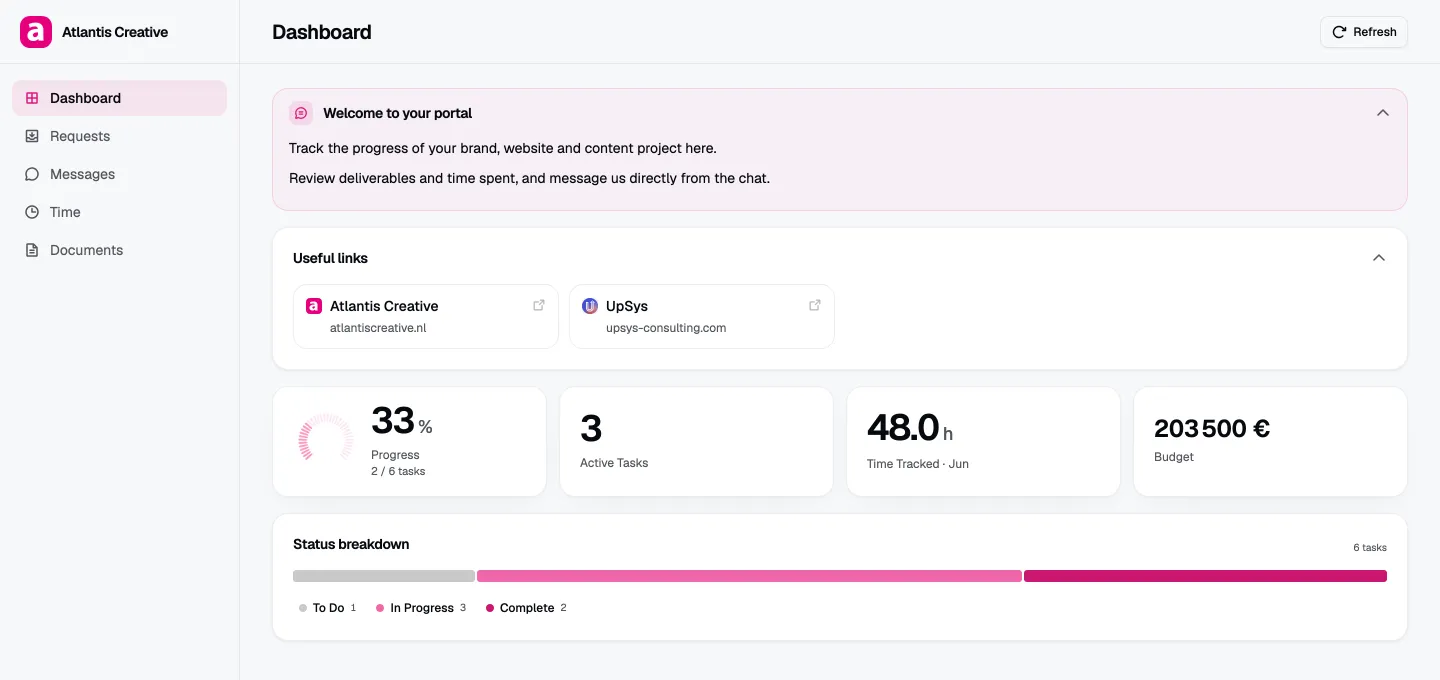
Your clients stay in Zoho. The portal shows them where their ClickUp work stands.
Key takeaways
- Glance builds the portal from ClickUp. Zoho is where the client already is, so the portal opens inside your Zoho Desk help center and they learn no new login.
- Clients see only their own lists, behind a password, with your logo and colors on every plan.
- The client needs no ClickUp account and no seat. The embed signs them in once, and the session lasts 7 days.
- Setup runs from a Zoho CRM function, so you need a CRM edition that has functions. The free edition has none.
- Connect Zoho Desk and the portal also lists the client's tickets: number, subject, status and last update, with a link to each. New tickets show within 5 minutes, read-only.
Plenty of Zoho shops sell and support in Zoho but deliver the work in ClickUp. The client sits in Zoho CRM and Zoho Desk, the tasks sit somewhere they can't see, and status questions turn into tickets. Glance reads the ClickUp lists you pick and builds one portal per client, with your logo and a password. Then you open it from the Zoho page your clients already use. It can list their Zoho Desk tickets too.
Zoho's portals show Zoho's data
A portal inside a Zoho app shows that app's records. The tasks, hours and files your team works on in ClickUp aren't in it.
Status questions become support tickets
"Where's my deliverable?" lands in your Zoho Desk queue, and someone opens ClickUp to answer it. A portal answers it first.
A ClickUp seat is a second tool to learn
Inviting a client into ClickUp gives them your whole structure to wander through. A portal shows the lists you pick and nothing else.
What clients get
Opens inside your Zoho Desk help center
A client clicks a link in the help center and their portal opens in that page, already signed in. They don't remember a second password.
One private view per client
A portal reads only the ClickUp lists you pick for that client. Other clients' work and your internal notes stay hidden.
Their Zoho Desk tickets in the portal
Connect Zoho Desk in Settings, map a portal to a Desk account or contact, and the client sees each ticket's number, subject, status and last update, newest first. A click opens the ticket in your help center.
Live from ClickUp
Update a task and the client's view follows. Your team stops exporting reports and pasting statuses into tickets.
Your brand, behind a password
Your logo and colors sit behind a password, on every plan. The Agency plan adds a custom domain and removes the Glance badge.
Frequently asked questions
Give your clients a portal they'll actually open.
Connect your workspace, choose what clients see, and share one link. The first 14 days run on Pro, free.