Free Client Portal Options for Agencies: An Honest Comparison
Search for a free client portal and the results split into 2 groups: things that are free because you do the work manually, and things that are free up to a limit you will cross. Both can be the right answer for a while. Neither is free in the way the word suggests.
This is a straight comparison of the realistic options, what each one costs, and the point where each stops making sense.
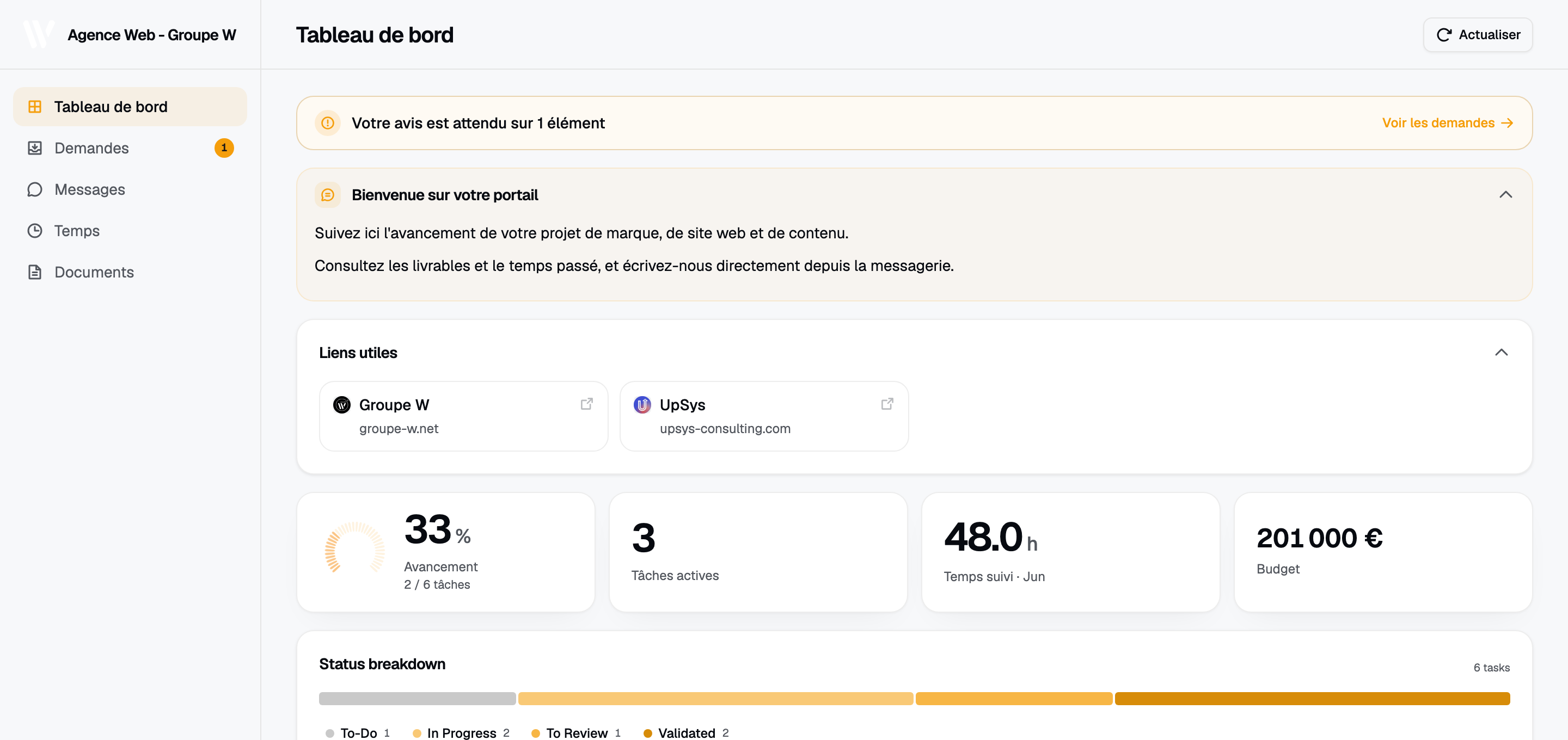
What the paid-for version buys: a branded page that is current without anyone updating it.
Option 1: A shared drive folder
Create a folder per client in Google Drive or Dropbox, drop deliverables in, share it.
Cost: nothing in money. 15 to 30 minutes per client per week in filing, renaming, and answering questions about which version is current.
What it does well. Delivering files. If your client relationship is mostly about handing over assets, a drive folder is honest and everyone already knows how it works.
Where it breaks. It has no concept of status. A client looking at a folder cannot tell what is in progress, what is late, or what is coming. So the folder never replaces the status email, it just sits alongside it. Access control is per-account rather than per-password, and permissions drift as people are added over the years.
Option 2: A public view from your project tool
Most project tools, ClickUp included, can publish a view to a public URL.
Cost: nothing in money, a few minutes to set up.
What it does well. It is always current, which is the single hardest property to get for free. The data comes straight from where work happens.
Where it breaks. 3 places. The page shows the tool’s interface rather than your branding. There is no password, so anyone holding the link can open it, and links get forwarded and archived in email threads that outlive the engagement. And you cannot vary what is visible per viewer, so a filter that hides internal work from one client hides it from everyone or from no one.
For work under NDA this is usually disqualifying on the password point alone.
Option 3: A published Notion page per client
Build a page per client, publish it, send the link.
Cost: nothing in money on the free plan. Meaningful ongoing time unless your projects live in Notion.
What it does well. It looks good and it is flexible. You control the layout completely, and you can mix narrative with structure in a way a dashboard cannot.
Where it breaks. If your delivery happens in ClickUp, Asana, or Jira, the Notion page is a copy, and copies drift. Somebody has to update it, which is the same manual cost as the status email in a different container. On the free plan a published page is reachable by anyone with the link, with password protection sitting behind a paid tier.
Option 4: A portal tool’s free tier
Purpose-built portal tools generally offer a free or entry tier covering a small number of clients.
Cost: nothing up to the limit, then a subscription.
What it does well. Everything the free routes struggle with: branding, a per-client password, per-client scoping, and content that stays current because it reads from your workspace rather than being copied into a document.
Where it breaks. The client count limit. Free tiers are sized to demonstrate the product, so an agency with a real roster crosses the line reasonably quickly.
Side by side
| Shared drive | Public view | Notion page | Portal free tier | |
|---|---|---|---|---|
| Money cost | None | None | None | None to a limit |
| Stays current on its own | No | Yes | No | Yes |
| Your branding | No | No | Yes | Yes |
| Per-client password | No | No | Paid tier | Yes |
| Shows project status | No | Yes | Manual | Yes |
| Weekly time cost | High | None | High | None |
| Scales past ~5 clients | Poorly | Yes | Poorly | Hits limit |
The 2 costs people miss
Manual updating compounds. 20 minutes per client per week looks trivial at 2 clients. At 12 it is 4 hours, every week, forever, and it is the first thing to slip when the agency is busy. A stale portal is worse than no portal, because the client checked it and got the wrong answer.
Accidental exposure is expensive once. The failure that hurts is a client seeing an internal comment, another client’s name, or an estimate they read as a quote. It costs nothing until it happens, and then it costs a relationship. Any option without per-client scoping carries this risk, and the risk grows with the client count.
Pick by situation
2 or 3 clients, low sensitivity, mostly file handover. Use a shared drive. Do not overthink it.
Clients who mainly want status, and you already run work in a project tool. Start with a public view. Accept the branding and password limits knowingly, and set a threshold for when you will move.
Delivery already lives in Notion. Publish a Notion page. It is coherent, and the copy problem does not exist for you.
5 or more active clients, or anything under NDA. Use a portal that reads from your workspace. The manual routes have already stopped being free by this point, they are just billing you in hours instead of money.
Moving off a free setup
If your projects run in ClickUp, the move is short. With Client Glance:
- Connect ClickUp over OAuth. Read-only, so the portal displays work but never modifies it. The token is encrypted at rest with AES-256-GCM.
- Point a portal at one client’s list or folder.
- Choose the cards the client should see and switch off the rest.
- Add branding and a password, then send the link.
Move one client first, the one who asks for status most often. If the questions stop, apply the same setup to the rest.
For the wider category, see our guide to client portal software for agencies, and the walkthrough in how to create a ClickUp client portal. You can read how scoping and passwords work in the help center, and follow what ships on the changelog.
Frequently asked questions
Is there a free client portal? Several tools have free tiers that work for a few clients, and shared drives or a published Notion page cost nothing. The cost appears as manual updating, a missing password, or a client limit.
Can I build a client portal with Notion for free? Yes, and it will look good. A published page is reachable by anyone with the link on the free plan, and keeping it current is manual unless your projects already live in Notion.
What is the cheapest way to give clients a branded portal? A portal tool with a free tier that reads from the workspace you already use, which avoids the manual updating that makes document-based options expensive in time.
When is a free client portal no longer worth it? When manual updating passes about an hour a week, or when a client sees something they should not have. The second costs more than any subscription.