White Label Client Portal: What Agencies on ClickUp Can Brand Today
A white label client portal shows your client your agency’s logo, colors and web address, with no link back to the company that built the portal.
Most portal tools say they do this. What they mean varies a lot, so this post breaks white label into the 5 pieces a client can see, then shows what Client Glance ships for each one today, including the parts it doesn’t cover yet.
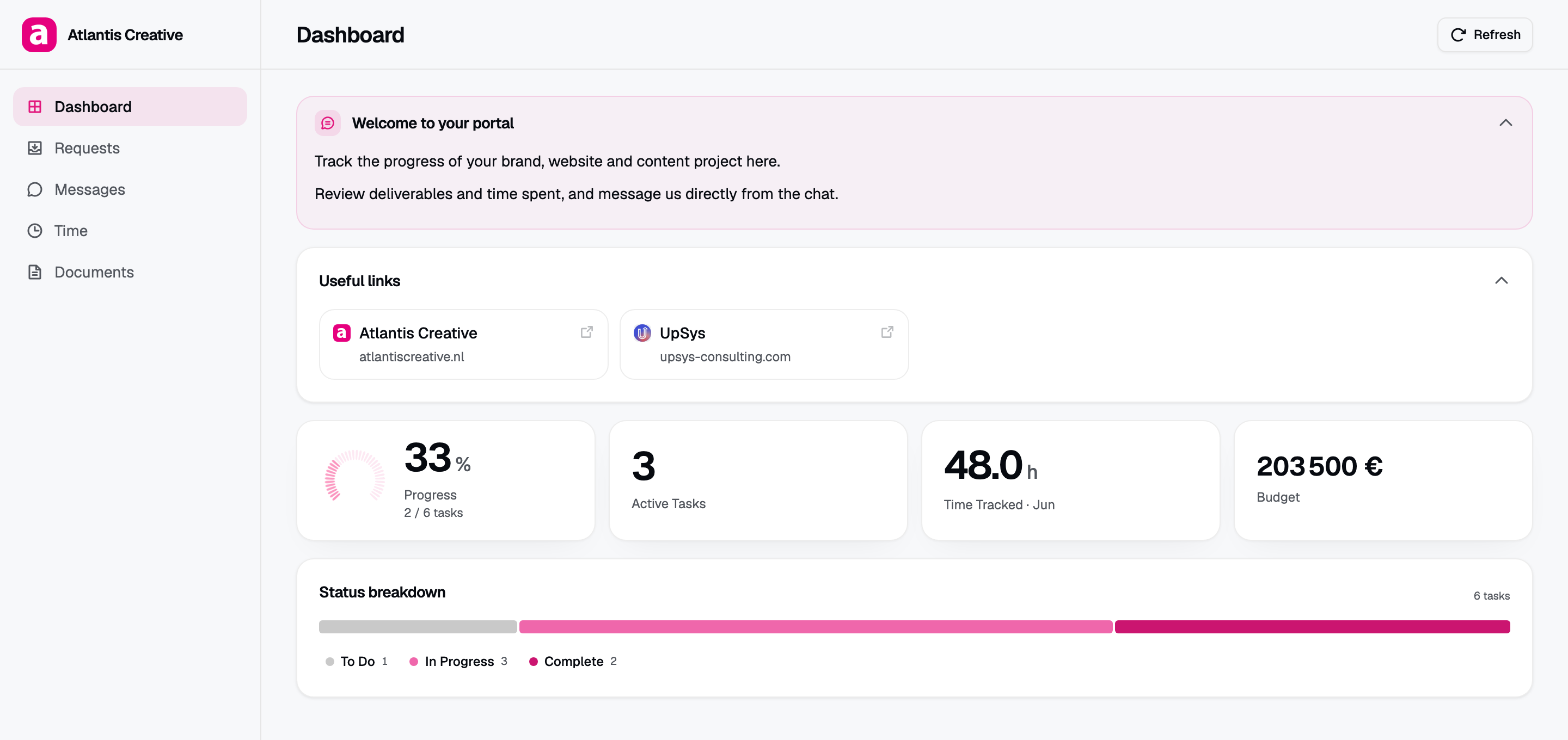
A Client Glance portal in the agency’s colors. The tasks come from ClickUp.
The 5 pieces of a white label portal
- Logo. Yours at the top of the page.
- Colors. Your brand color on buttons, bars and charts.
- Font. The type your client knows from your proposals and site.
- Vendor badge. The small credit line most tools add to the footer, with a link to their site.
- Web address. The domain in the browser bar, the one clients bookmark.
Then there are the edges people forget: the emails a portal sends, and a mobile app if there is one. Those come up again in the table.
Client Glance branding on each plan
Branding is set per portal, so 2 clients can each get a different look.
- Logo, brand color and font: on every plan, from Starter at $20 a month.
- Vendor badge: on Agency, you can switch off the Glance badge on each portal.
- Custom domain: on Agency too. You type a domain such as clients.youragency.com in settings. Glance shows you the CNAME and TXT records to add. Once your DNS provider has them, you press Recheck, and TLS is issued for you.
- Without a custom domain, portals live on youragency.clientglance.app.
Agency costs $139 a month, or $111 a month billed yearly, and covers up to 100 portals.
The gaps in Client Glance’s white label
Here’s where the label isn’t fully white, and you should know before you pay for it.
- Email reports. Pro and Agency can send clients a scheduled email report. Those emails come from Client Glance’s address, and the footer credits Client Glance, even with the badge switched off.
- A mobile app. Clients use a web link. There’s no app in the stores with your name on it.
- One domain per account. The custom domain is set for your whole agency, so all your portals share it.
If your clients never get the email reports, the first gap won’t touch you. If they do, they’ll see the Client Glance name there.
Assembly and SuiteDash, for comparison
Assembly, the tool once called Copilot, offers custom domains and removes its badge from the Professional plan up. Its Starter plan is $29 a month billed yearly. Our Copilot client portal alternative post covers it in full.
SuiteDash lists white labeling and a custom branded mobile app on all 3 of its plans, from $19 a month. Its 14-day trial includes the branded domain and login screen. Our SuiteDash alternative post has the rest.
| On 7 Oct 2026 | Assembly | SuiteDash | Client Glance |
|---|---|---|---|
| Logo and colors | Yes | Yes | Every plan |
| Hide vendor badge | Professional and up | Every plan | Agency |
| Custom domain | Professional and up | Branded domain offered | Agency |
| Branded mobile app | Not on its pricing page | Every plan | No |
| Reads ClickUp tasks | Embeds a public ClickUp link | Copies through Zapier or Make | Reads over OAuth |
| Entry price | Free plan, then $29/month billed yearly | $19/month | $20/month |
Prices come from each pricing page on 7 October 2026.
Here’s our take. SuiteDash gives you the most white label for the least money, and the most extra tools with it. Client Glance is the pick when your work lives in ClickUp and you want the client page to fill itself from it. For more tools side by side, read the best client portal software guide.
Setting up a white label portal in Client Glance
- Start the 14-day trial. It runs on Pro and doesn’t need a card. Upgrade to Agency when you’re ready for the domain and badge.
- Connect ClickUp over OAuth. We write back only what clients send from the portal (requests, comments and files), and the token is encrypted with AES-256-GCM.
- Build a portal from one client’s list or folder, then add your logo, color and font.
- Turn on the white label switch on that portal.
- In settings, under Domains, add your domain, copy the records to your DNS provider and press Recheck.
- Send the client the new link and their password.
DNS changes can take a while to spread, so add the domain a day before you send links. We’ll also do the first portal with you on a free call, and the first month is free.
Frequently asked questions
What does white label mean for a client portal? The client sees your logo, colors and domain, and no sign of the vendor. It covers 5 things: logo, colors, font, the vendor badge and the web address.
Does Client Glance support custom domains? Yes, on Agency. Add a domain such as clients.youragency.com, copy the DNS records into your provider, and TLS is set up for you.
Can I remove the Client Glance branding? On Agency, a switch on each portal hides the badge. Scheduled email reports still name Client Glance in the footer.
Which branding comes with the cheaper plans? Logo, brand color and font work on every plan. The badge switch and custom domain need Agency.
What happens to my domain if I downgrade from Agency? The domain stops serving portals and the badge comes back. Portals stay on your clientglance.app address.